AI Microwave
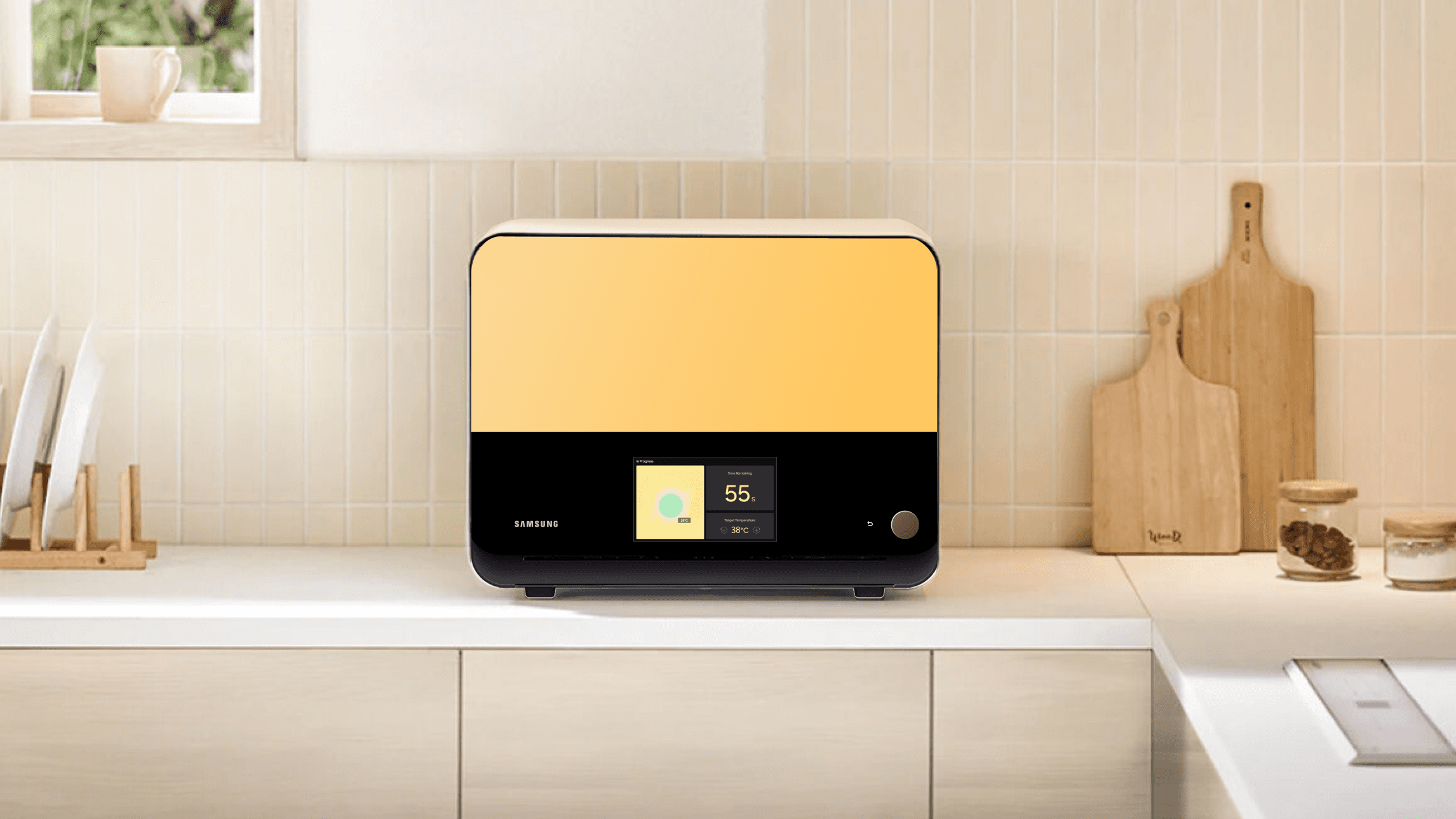
Traditional microwave ovens rely on manually input time for heating, leading to confusion and errors such as overcooking or undercooking. This project reimagines the appliance from time-based heating to result-driven intelligence through a special thermal sensing technology. I defined the UX strategy and a scalable design system that translated complex sensor data into a seamless experience across varying hardware constraints.
Goals
Identify and map high-impact use cases that clearly demonstrate the value of thermal sensing heating to bring the value to the executive leadership
Translate the abstract thermal sensor data into intuitive information for the user and alleviate the uncertainty users feel due to the lack of a precise, fixed countdown
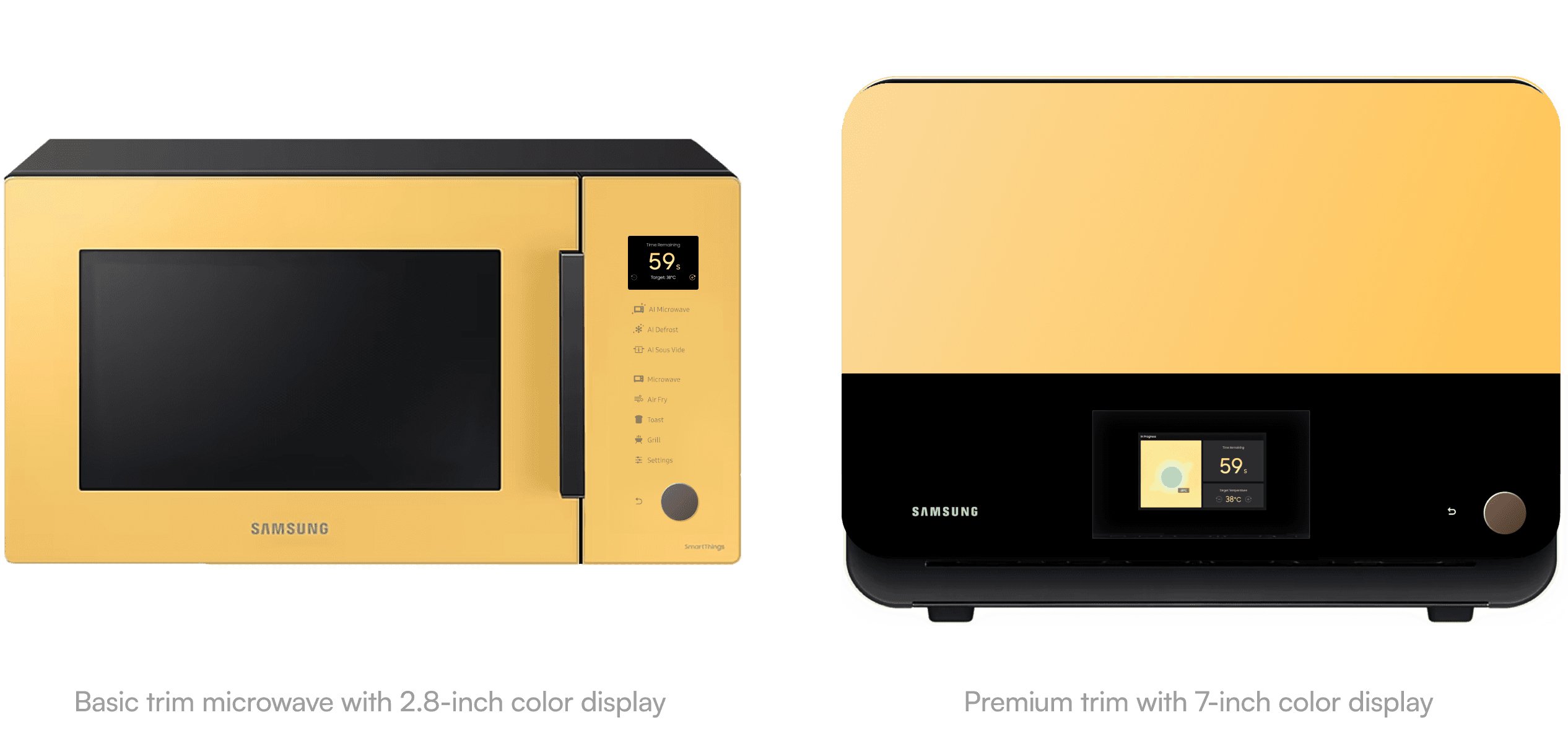
Create a cohesive design system that functions seamlessly on both a 2.8-inch basic display and a 7-inch premium display, neither of which supports touch interaction
My Contributions
Identified and mapped 3 core AI Microwave use cases: Reheat, Defrost, and Sous Vide.
Led the multi-trim UX design guidelines for handoff with the production team
Scenarios
Expert-Led Use Case Discovery
Since this "result-driven" heating is a totally new mental model for most people, we skipped the typical consumer research.
Instead, we invited culinary experts to a workshop and try out our functional prototype on tasks that temperature accuracy would provide a clear advantage over traditional microwave heating,

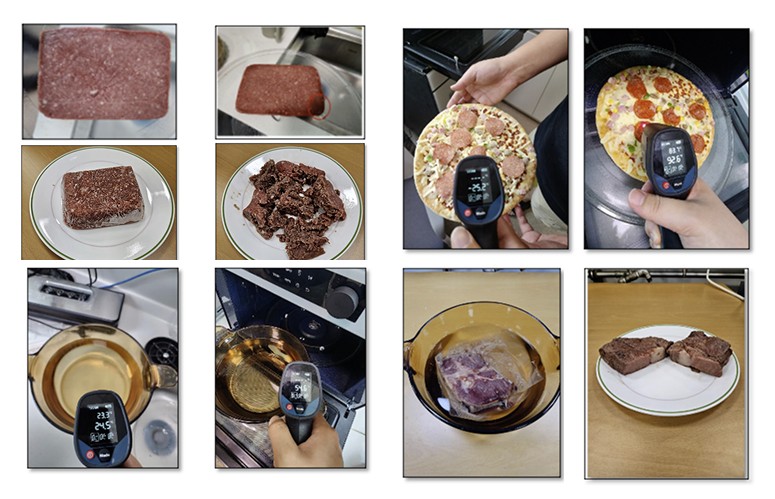
This helped us identify three high-value use cases:
AI Reheat: Eliminates the frustration of uneven heating by ensuring food is cooked perfectly and consistently all the way through
AI Defrost: Addresses the common issue of "cooked edges" by precisely monitoring temperatures to achieve a uniform, high-quality thaw
AI Sous-vide: Transforms the appliance into a professional tool by maintaining the steady, precision temperatures required for gourmet cooking
Guidelines
Grounding Ideas in User Feedback
After defining the use cases, I conducted a focus group with five regular consumers to walk through the experience. While they loved the concept, they were confused by the abstract nature of temperature-based cooking.
"How Might We Help Users Achieve An Optimal Result While Eliminating the Guesswork in the Process?"
I defined three core design principles to bridge this gap:
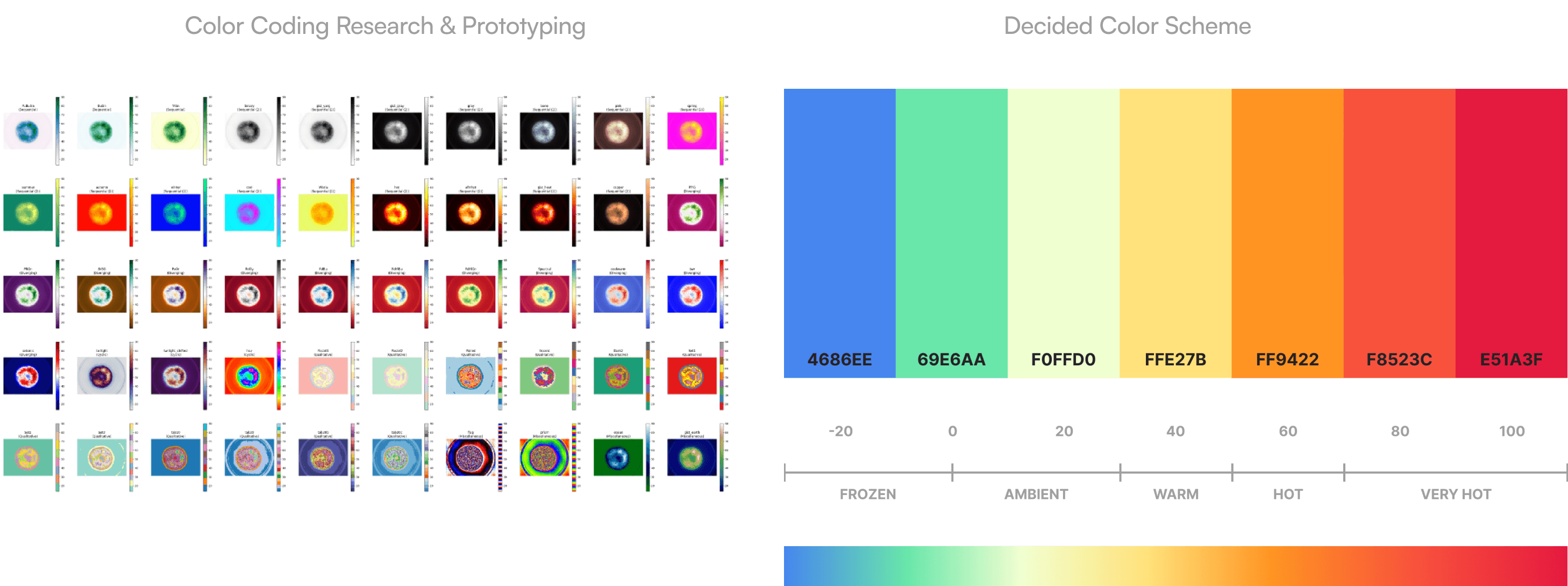
Color Coding
Since people don’t intuitively understand temperature numbers (e.g., $165^\circ F$), I implemented a thermal heat map system. By using a color scale from blue (cold) to red (hot), users can instantly see the "doneness" of their food without needing to decode data.
"Smart Timing"
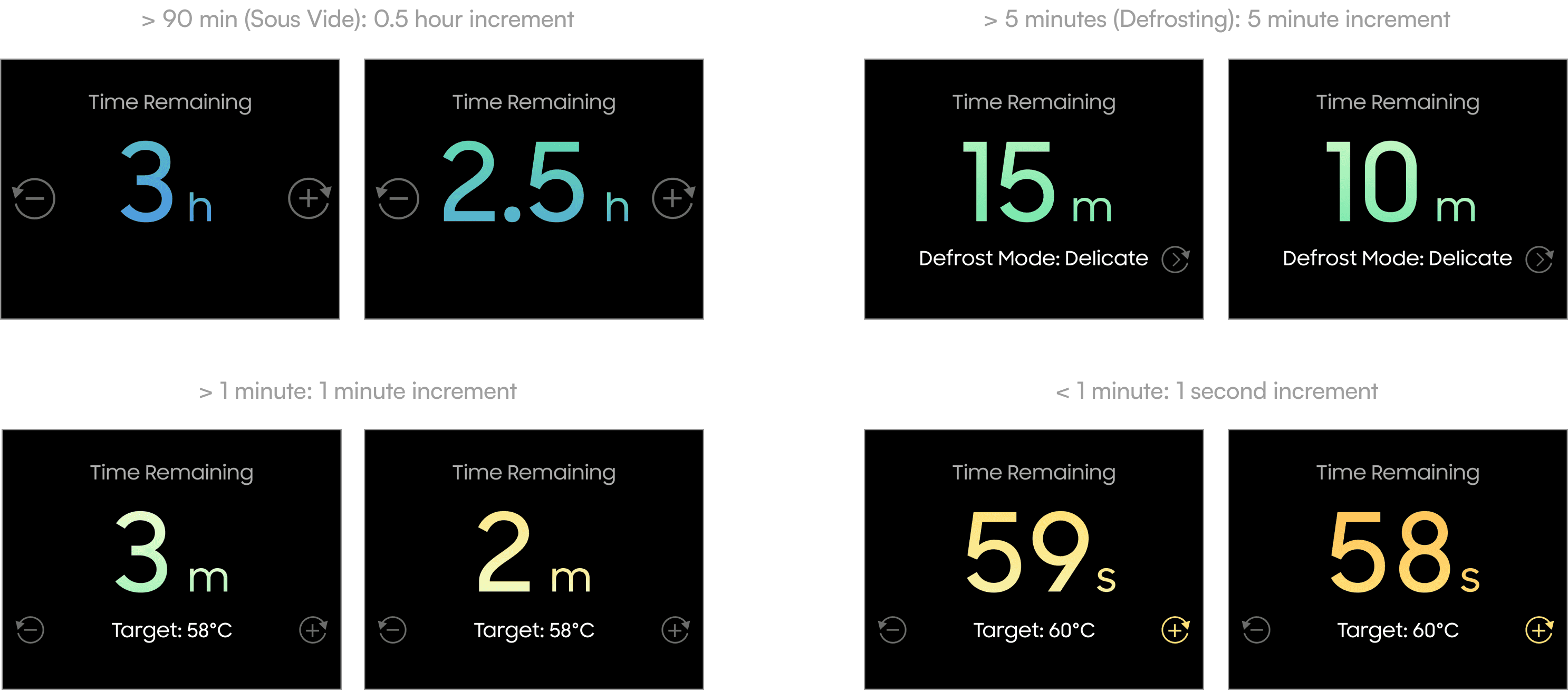
Users strongly desired a countdown, but sensor-based heating is dynamic and hard to predict long-term. I developed a Variable Precision Timer:
Longer durations: Displayed in 30-minute increments to manage expectations.
Mid-range: Displayed in 1-minute increments as accuracy increases.
Final minute: Switches to a precise per-second countdown when the sensor's confidence is highest.
Tactile-First Interaction (Non-Touch)
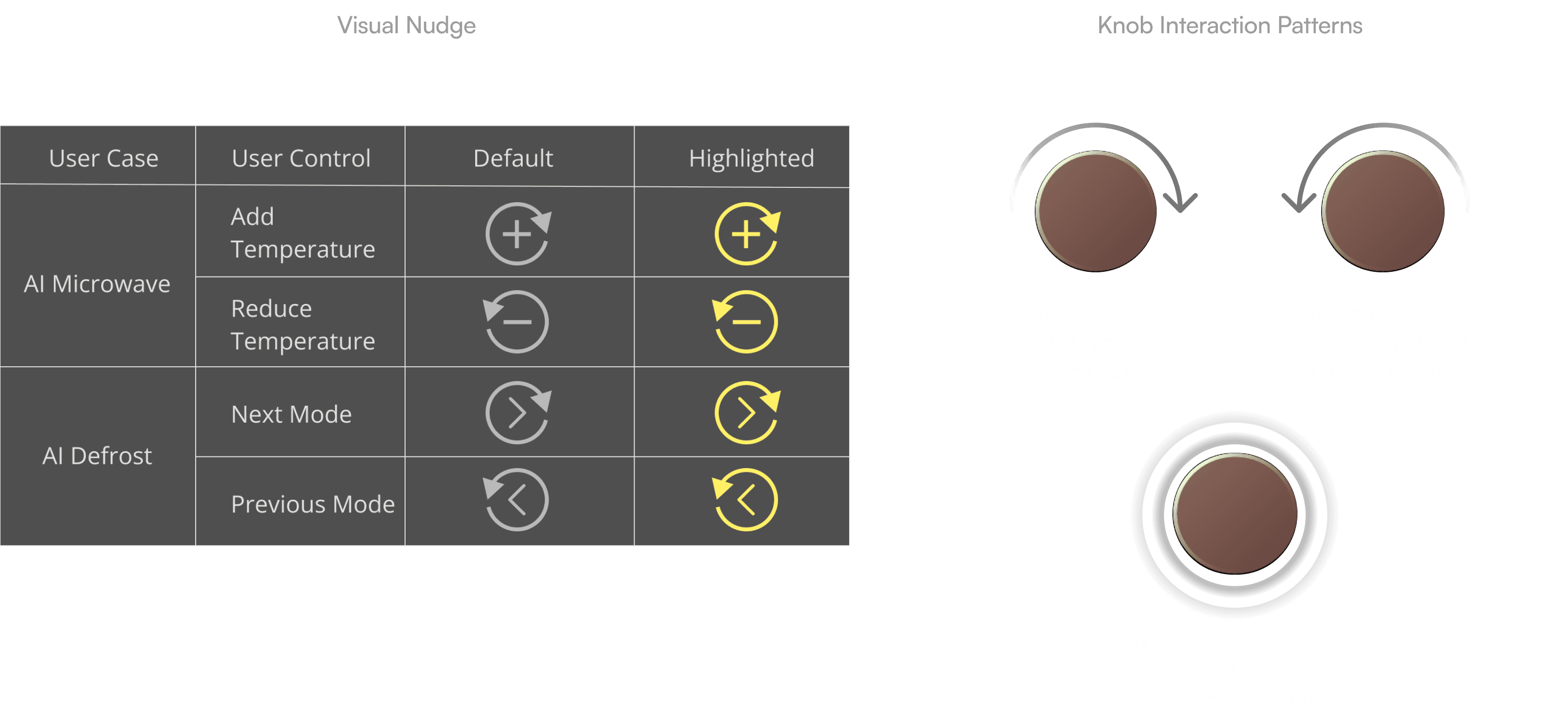
With no touchscreen, the UX relies entirely on a physical knob and a "Back" button. I defined a consistent Rotate-and-Click logic:
Rotate: Navigate between modes or fine-tune temperature targets.
Click: Confirm selections and initiate the cooking process.
Back Button: Always provides a one-click escape to the previous state, ensuring the non-touch interface never feels like a "trap."
Scaling for Hardware Disparity
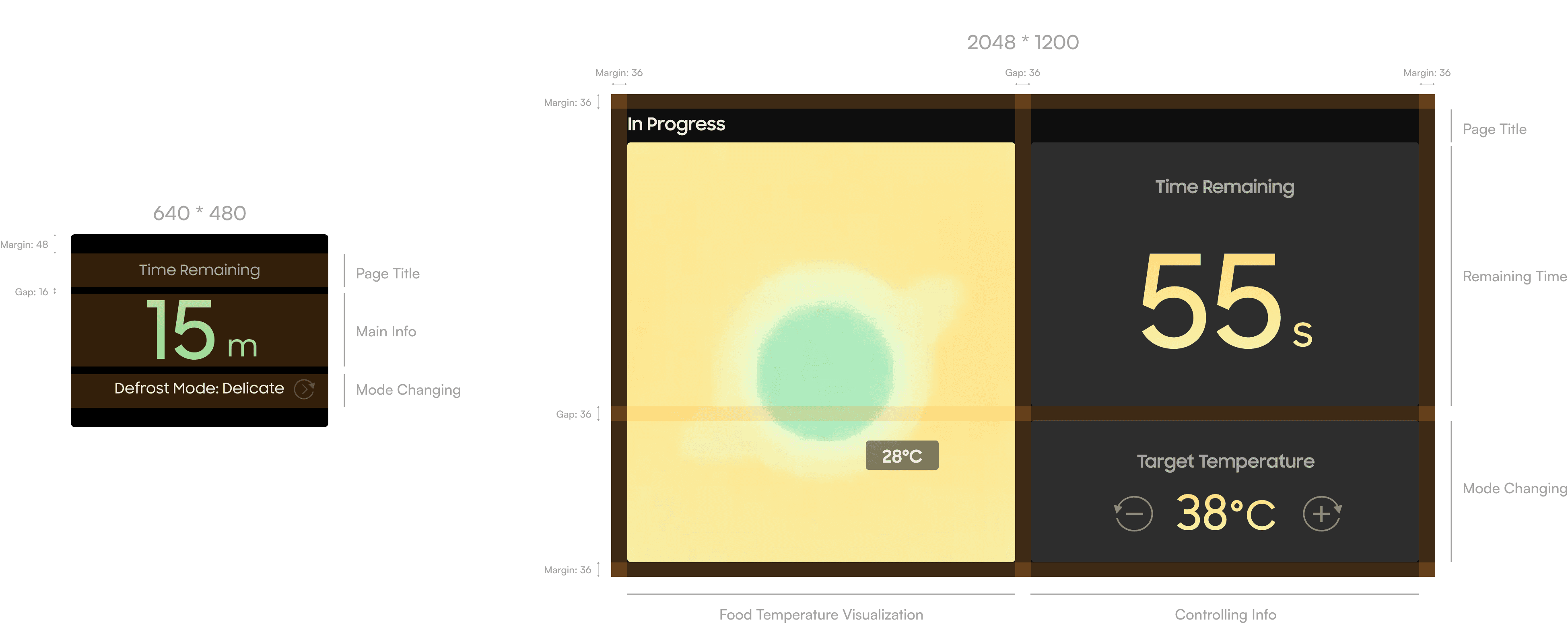
To maintain a consistent experience across different hardware trims, I defined a scalable information architecture:
2.8-inch Display: Prioritizes glanceability with a high-contrast, text-only layout that clearly communicates the mode, temperature, and remaining time within the smaller footprint.
7-inch Display: Leverages the built-in RGB camera to provide a rich, real-time thermal heat map overlay, giving users a direct visual of the cooking progress.
Final Design
After an in-person user test with 7 dyslexic users, we translated research insights and refined concepts into a concise storytelling package designed for senior leadership.
Handover
I provided the production team with a full asset library and interaction map focusing on:
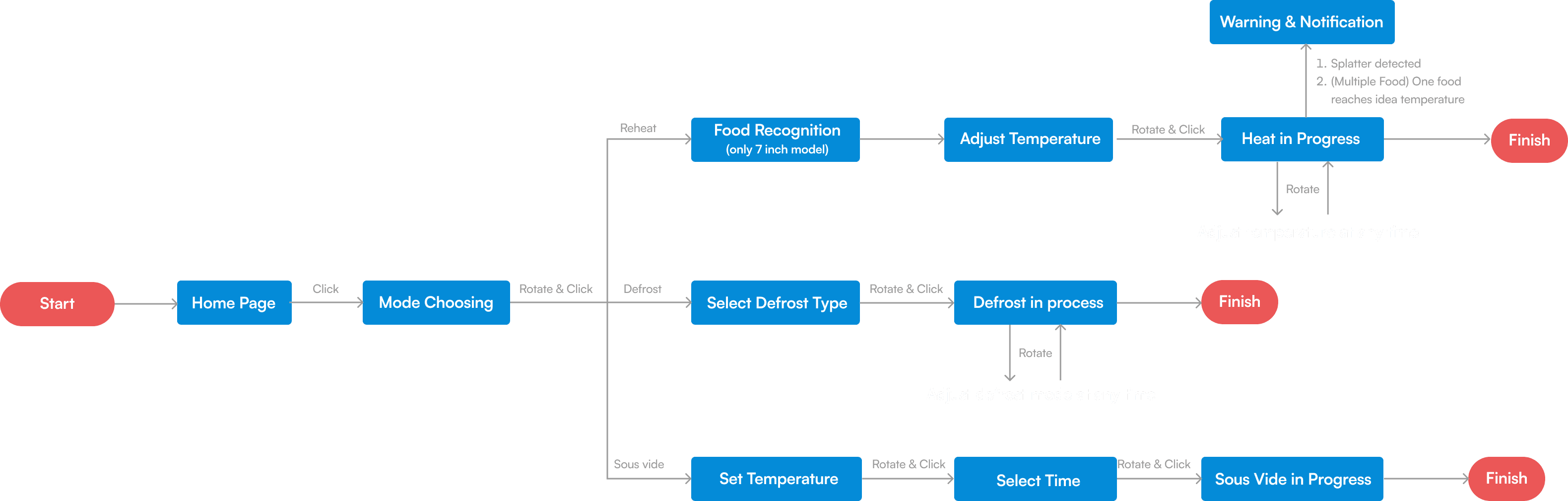
The "Rotate-and-Click" Control System: A detailed logic map for navigating non-touch screen, defining how the physical knob and "Back" button navigate the UI consistently
Key Experience Flows: Detailed workflows for Reheat, Defrost, and Sous-vide that guide users from mode choosing to the final result, ensuring a frictionless experience on both screen sizes.
Component Library: Scalable UI elements that maintain visual consistency between the high-resolution 7-inch and the high-contrast 2.8-inch displays.
Impact
Executive Buy-in: Delivered hi-fidelity prototypes and design guidelines that secured leadership approval, moving the project from a concept to the official production roadmap
Industry-First Production: Established the UX foundation for the first mass-produced thermal camera microwave, currently in the final production phase for market launch across North America, South Korea, and Europe.
Takeaways
1. Design Experiences Beyond Screens
Designing for a controller display exposed me to the practice of leveraging haptic interactions. Unlike designing for touchscreens, this experience led me to explore the fundamental principles of interaction design and to seek intuitive methods to streamline information flow.
2. Thinking Outside of the Box to Tackle Core User Desire
As a UX designer, we usually start with existing problem. However, this experience has trained my vision-driven skills by prompting me to explore the blind spots in our everyday life. Take the microwave for example -- while many people are accustomed to its time-based interface, this does not mean this is the optimal solution. As innovative designers, it is essential to challenge the status quo and envision what could be.